MCEqual Ultra
CoreLogicLabs
MCEqual Ultra app icon

MCEqual Ultra

The MCEqual Ultra Adapter brings wireless CarPlay and Android Auto to cars with Google built-in. Plug it into your car's USB port, and the MCEqual Ultra app adds a proper 10-band equalizer, synced lyrics, turn-by-turn on your instrument cluster, and EV routing in Google Maps on Android Auto.

Prices subject to change. Coming soon Coming soon to the United States and Canada only.
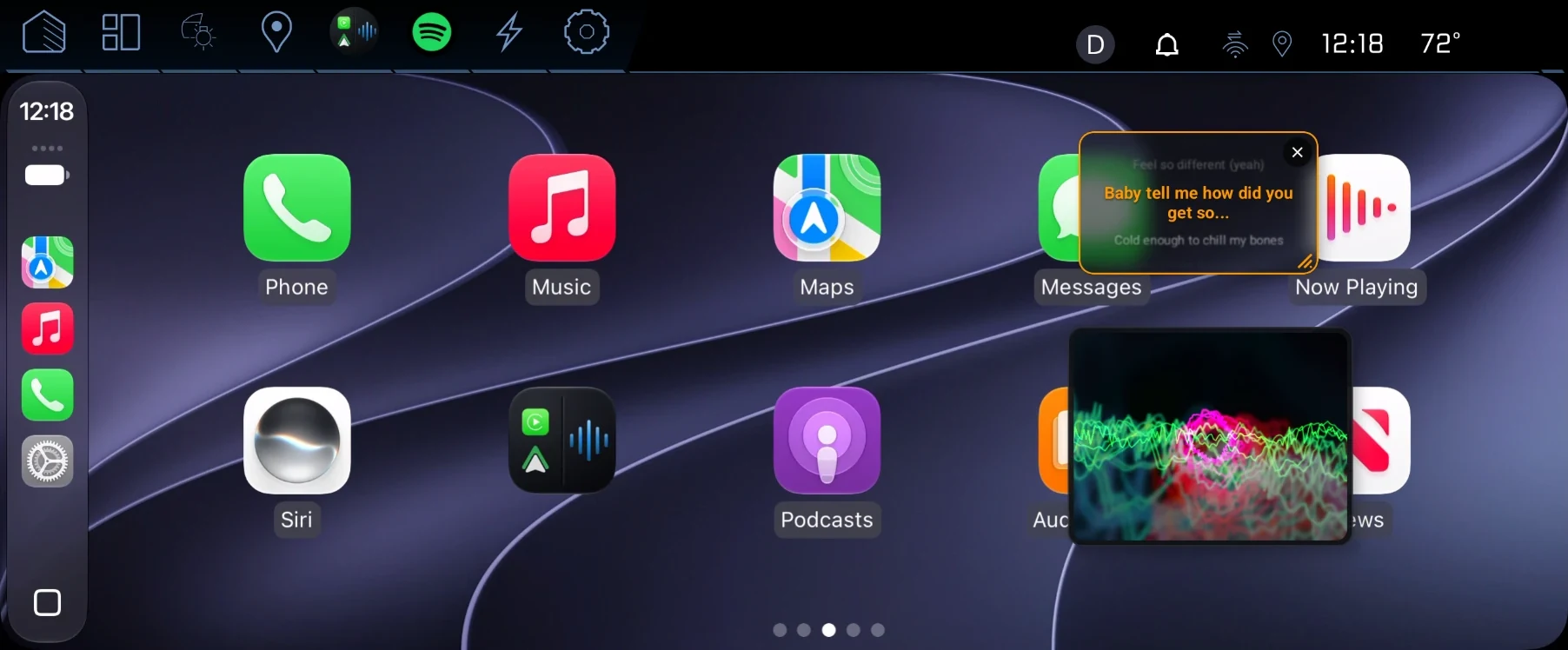
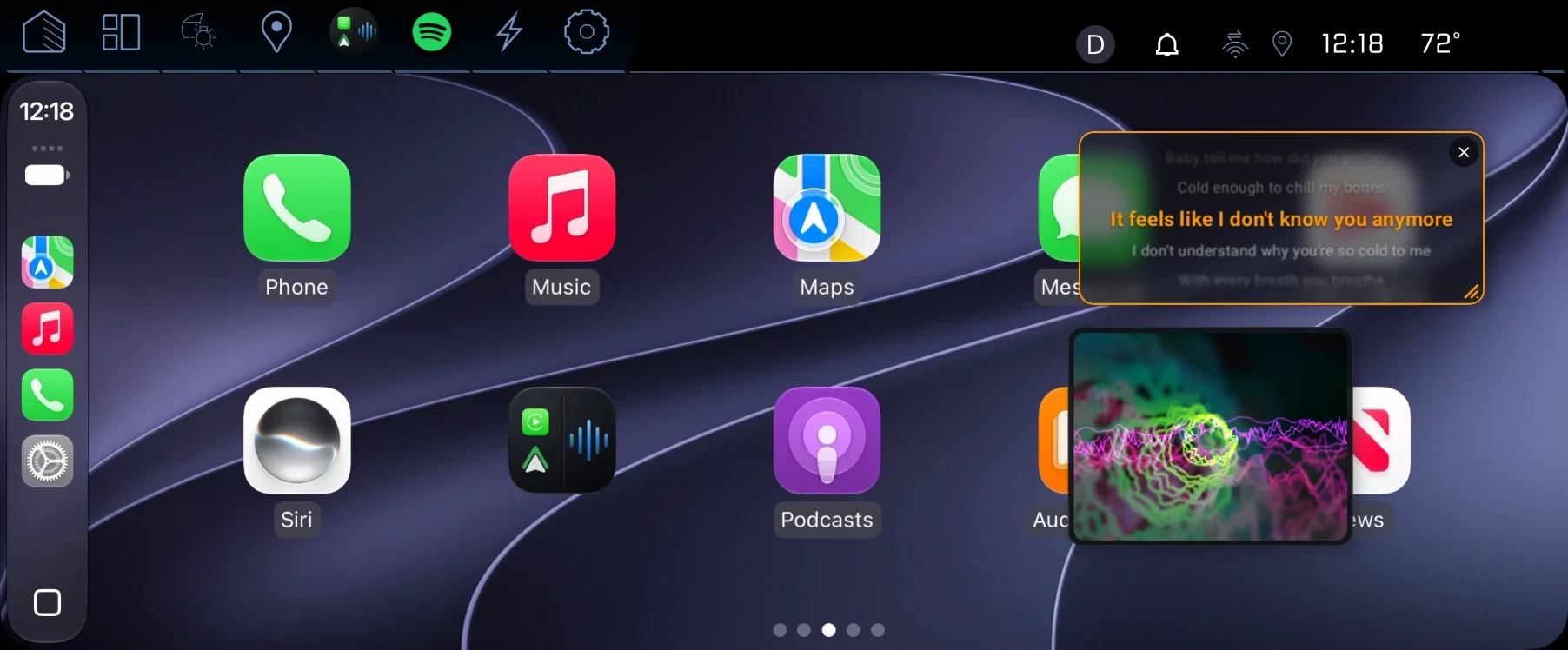
CarPlay home screen on a car's display, with MCEqual Ultra's floating lyrics and visualizer cards

Tap a screenshot to see it full size.

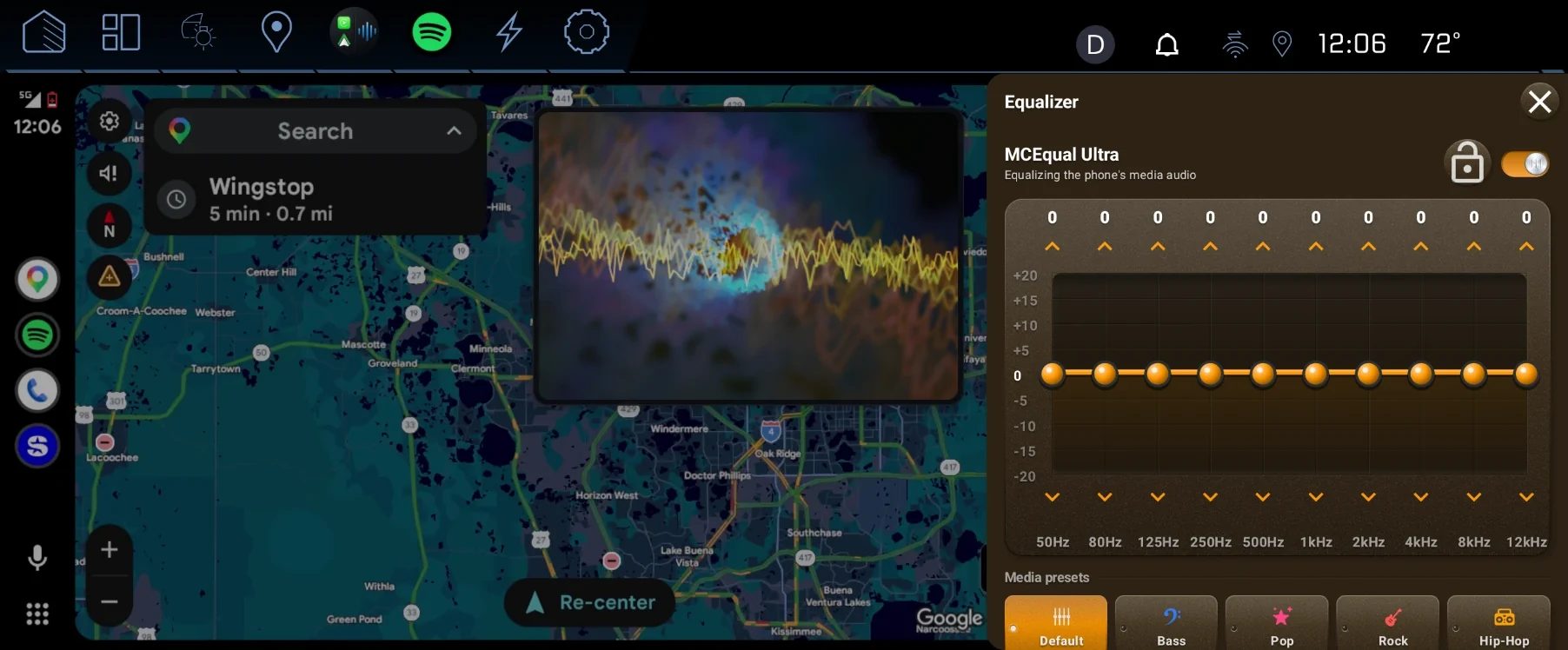
Equalizer side bar open beside Android Auto's Google Maps

EQ without leaving the map

Swipe two fingers in from the right edge and the equalizer slides out next to Android Auto or CarPlay. Navigation keeps running behind it.

Ten bands from 50 Hz to 12 kHz, each ±20 dB.

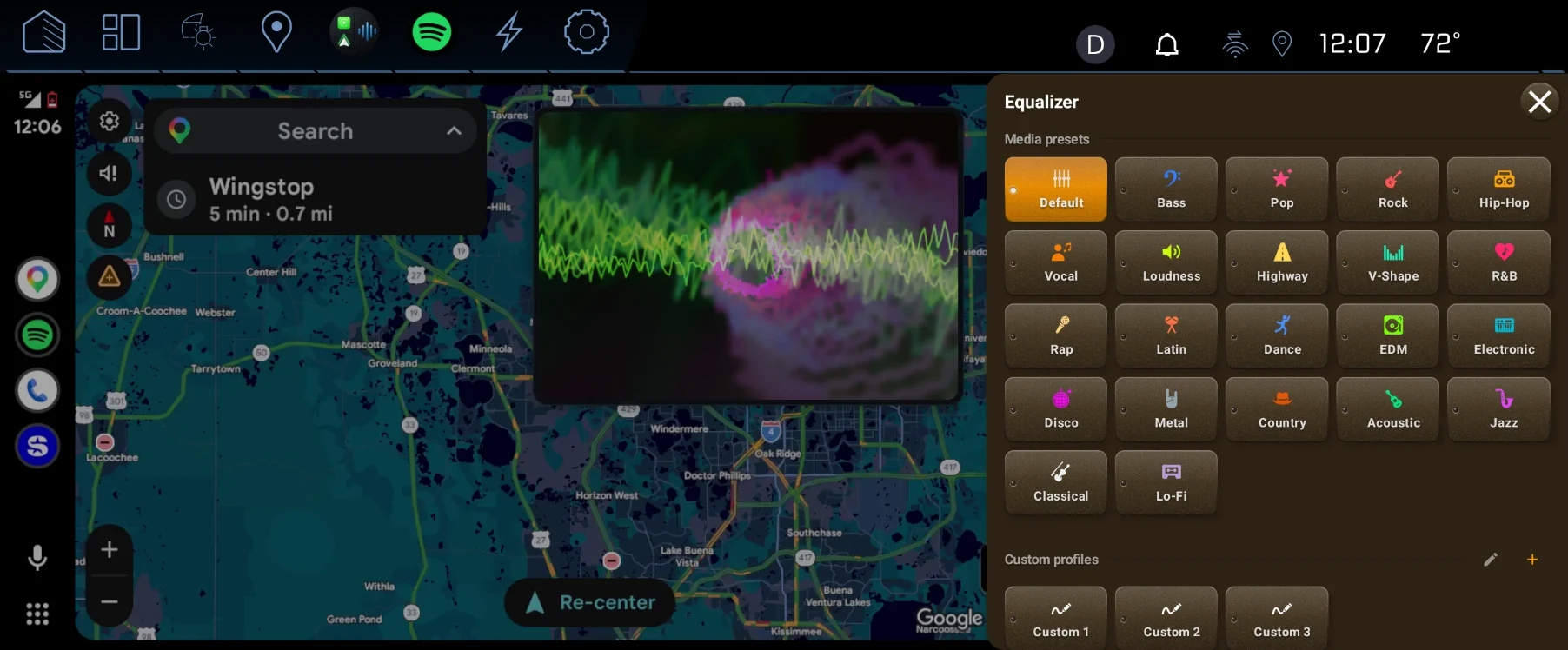
Grid of equalizer presets: Default, Bass, Pop, Rock, Hip-Hop, Vocal, Loudness, Highway and more

Presets for whatever's playing

Over 20 music presets, including Highway for road noise and Loudness for low volume. Movie and podcast presets too, and three custom profiles you tune yourself.

  • Smart Bass Boost adds low end when the sliders are maxed
  • Master Gain Boost for head units that play too quietly
  • Distortion Protection keeps boosted presets clean on loud songs
Resized lyrics card and visualizer card floating over the CarPlay home screen

Lyrics and a visualizer, where you put them

Two floating cards you can drag, resize or close. Lyrics follow the song, with a timing offset if they run early or late. Both are off until you turn them on.

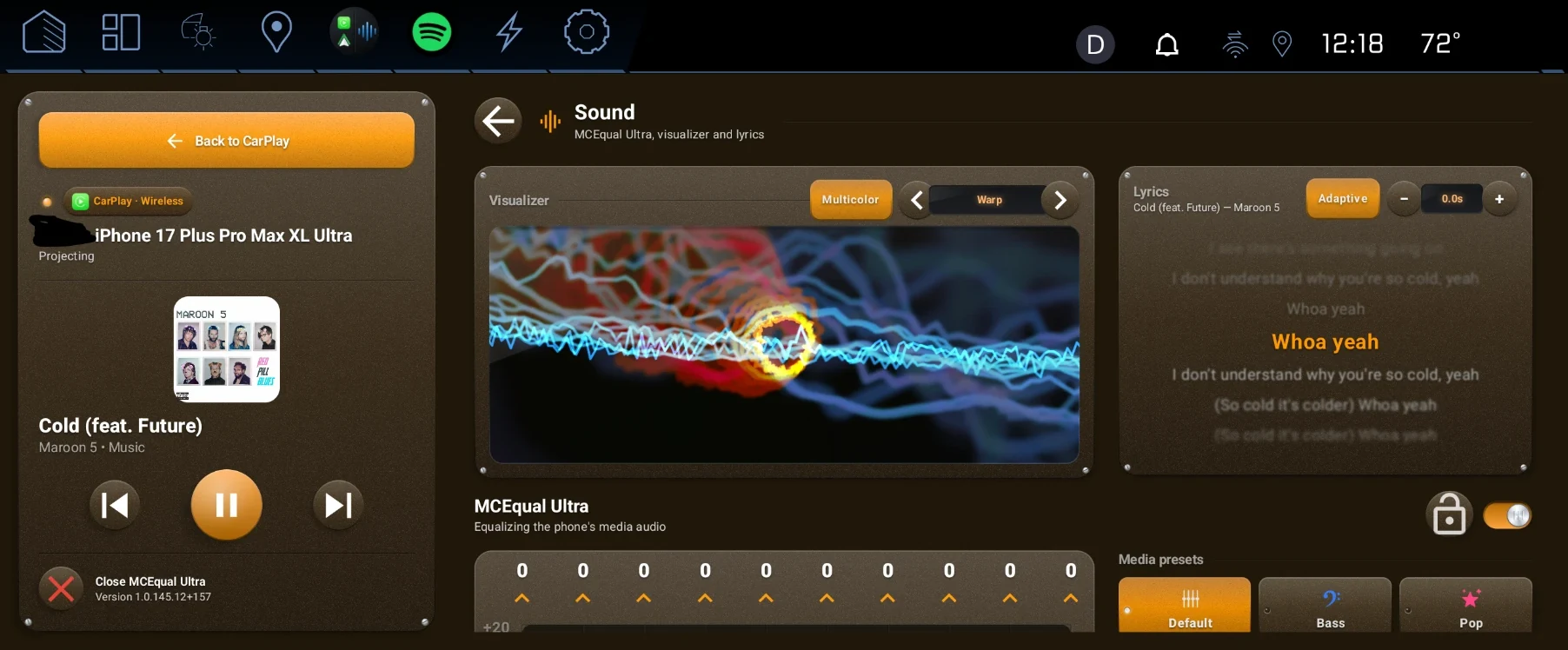
MCEqual Ultra Sound page with visualizer, lyrics and equalizer next to the now playing panel

One page for sound

Visualizer styles, lyrics, the equalizer and its presets together, with what's playing and the controls on the left.

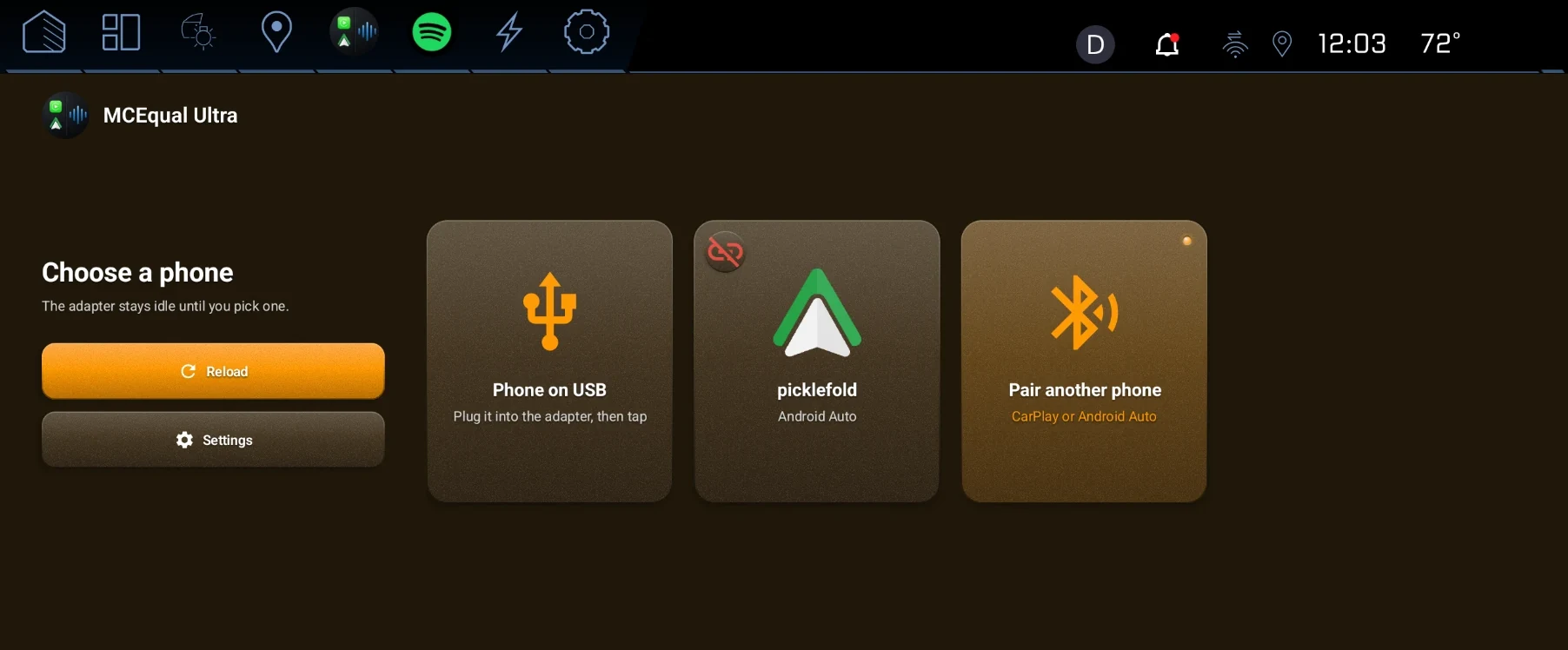
Choose a phone screen with cards for a USB phone, a paired Android phone and pairing a new phone

The phone you pick is the one that connects

Two phones in the car? The adapter waits until you choose. iPhones run CarPlay, Android phones run Android Auto, wireless or over USB.

Or turn on Auto Connect: start the car and your last phone connects on its own, with no phone screen to tap through.

Made for the car it's plugged into

Android Auto · CarPlay coming soon

EV routing in Google Maps on Android Auto

Google Maps in Android Auto normally knows nothing about your car's battery. MCEqual Ultra shares your EV's charge level, range, efficiency and charge ports with Maps, so it plans charging stops for the car you're actually driving and warns you before you run low.

  • Routes to Tesla Superchargers when your car can use them
  • Counts a trailer's weight and drag in the range forecast when you're towing
  • Plans stops at your car's real DC fast-charging speed

Available now on Android Auto. EV routing for CarPlay is coming soon. Built-in profiles for Chevrolet, GMC and Cadillac EVs, the Honda Prologue and the Acura ZDX.

CarPlay and Android Auto

Directions on your instrument cluster

Your phone's turn-by-turn shows behind the wheel, on the instrument cluster and head-up display, with lane guidance on Android Auto. CarPlay can put its map or next-turn card on the cluster, with arrival time and the speed limit.

  • Beta: the phone's full map on the cluster, on supported cars
  • The car's GPS feeds your phone, for accurate positioning in tunnels and downtown

Cluster features depend on what your car's cluster supports.

More from the car

Will it work in my car?

Your car needs Android Automotive, the version of Android that runs the car's own screen (sometimes sold as "Google built-in"). Cars with only wired CarPlay or Android Auto can't run it.

Car's systemAndroid Automotive 10 or newer
Tested onAndroid Automotive 12 and 14
PhonesiPhone (CarPlay), Android (Android Auto)
ConnectsThe adapter plugs into a USB port in your car
EV routingGoogle Maps on Android Auto now, CarPlay coming soon
Instrument clusterTurn-by-turn on cars whose cluster accepts navigation from the screen
In the boxMCEqual Ultra Adapter
AudioThrough the adapter or Bluetooth, your choice

US and Canada only

We ship the MCEqual Ultra Adapter to addresses in the United States and Canada. We can't take orders from other countries.

Coming soon

Payment received. Your pre-order is confirmed.

Stripe has emailed your receipt. We expect to ship your MCEqual Ultra Adapter in 4–6 weeks and will email you the tracking number. If that date changes, we'll email you, and you can cancel for a full refund.

Questions? Email corelogiclabssupport@gmail.com with the email address you paid with.

Home

Your information

If you ask to be notified, we keep only your email address. We use it to send you one email when the MCEqual Ultra Adapter is available, then delete it.

When you pre-order, you enter your email, shipping address and payment details on Stripe's secure checkout. Stripe processes the payment and shares your name, email and shipping address with us, which we use only to ship your adapter and keep you updated. We never see your full card number.

You also give us your car's year, make and model, and the Google Play email your car uses. We use the car details only to check your adapter will work with it, and the email only to give that account access to install the MCEqual Ultra app.

If you ask for the MCEqual app discount, you send us your email address and a screenshot of your purchase. We use them only to check your purchase and email you a discount code.

Notify me sign-ups and discount requests reach us by email through EmailJS and Gmail, over an encrypted connection. This site doesn't store your details in your browser, use tracking cookies, or show ads. We don't sell or share your information with anyone else.

To see or delete what we hold about you, email corelogiclabssupport@gmail.com with your order number.